
* It is important for you to save your favourite address if you intend to be dropped off frequently at that particular address. This will allow myTOYOTA Shuttle PH to allocate the pick-up/drop-off point that is within 200m walking distance to the pinned location. You are allowed to favourite an additional 2 address in addition to your default address
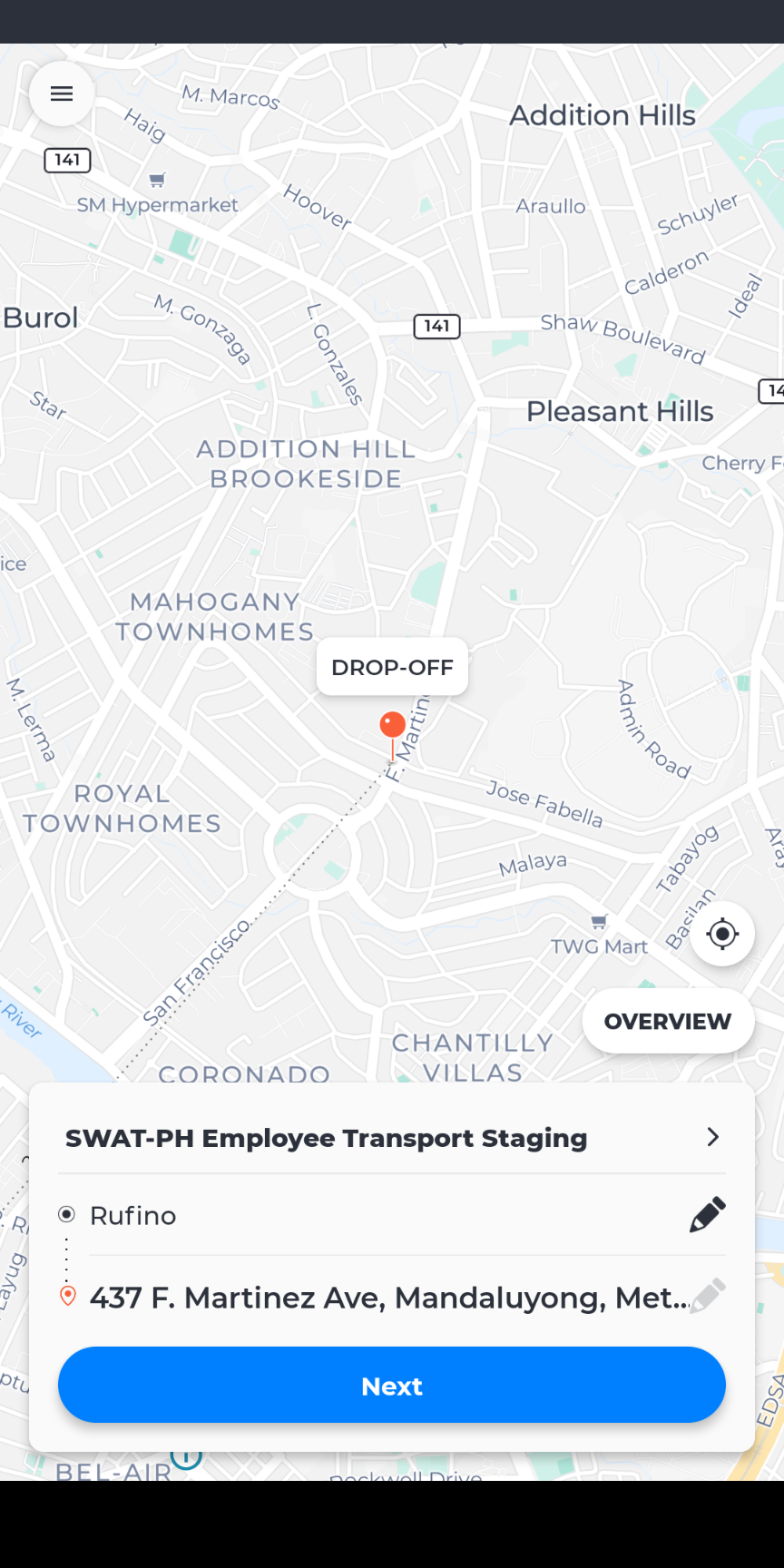
- Navigate to the booking page and click the "Pencil icon"
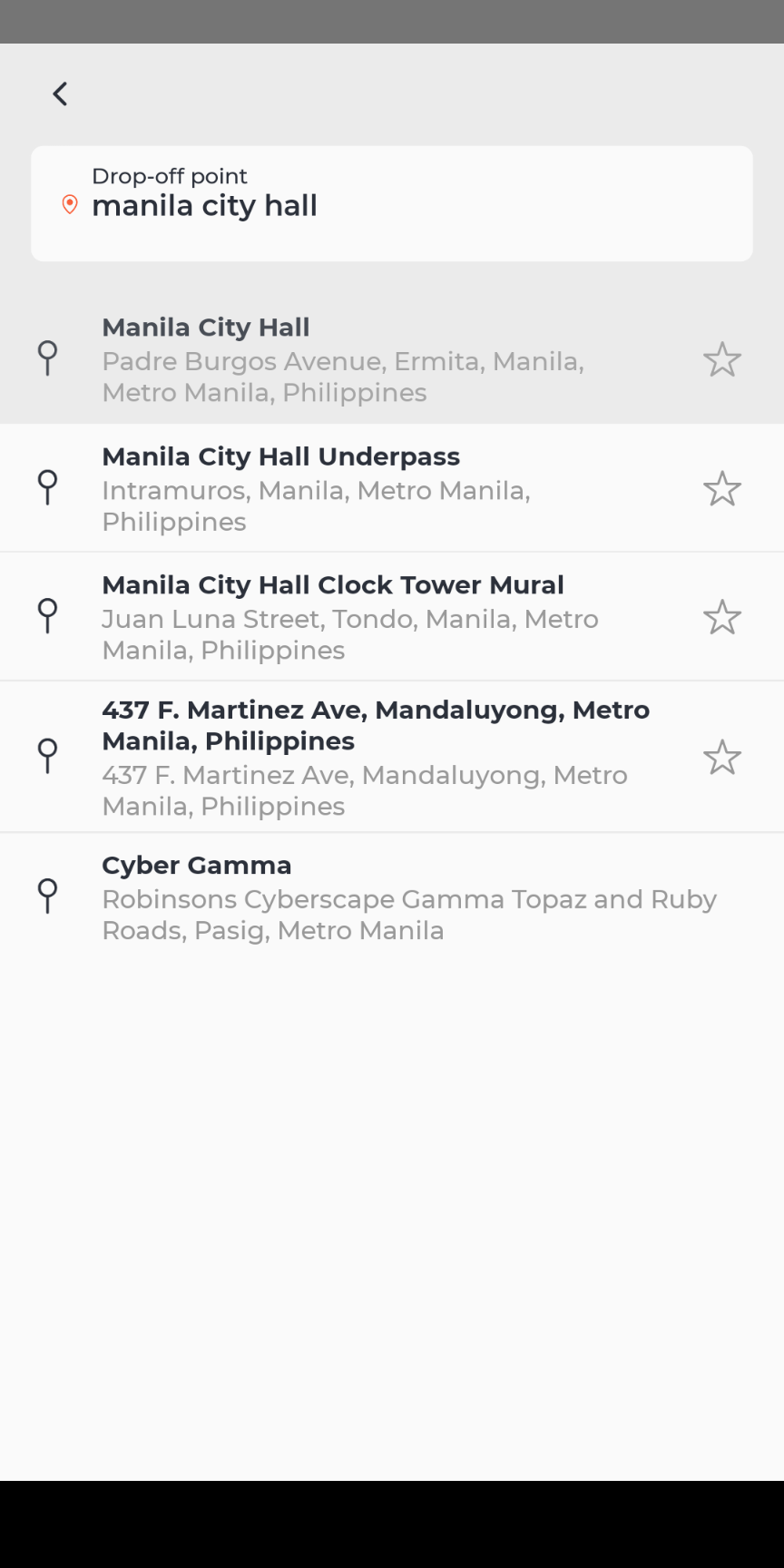
- Type in the desired address which you wish to favourite
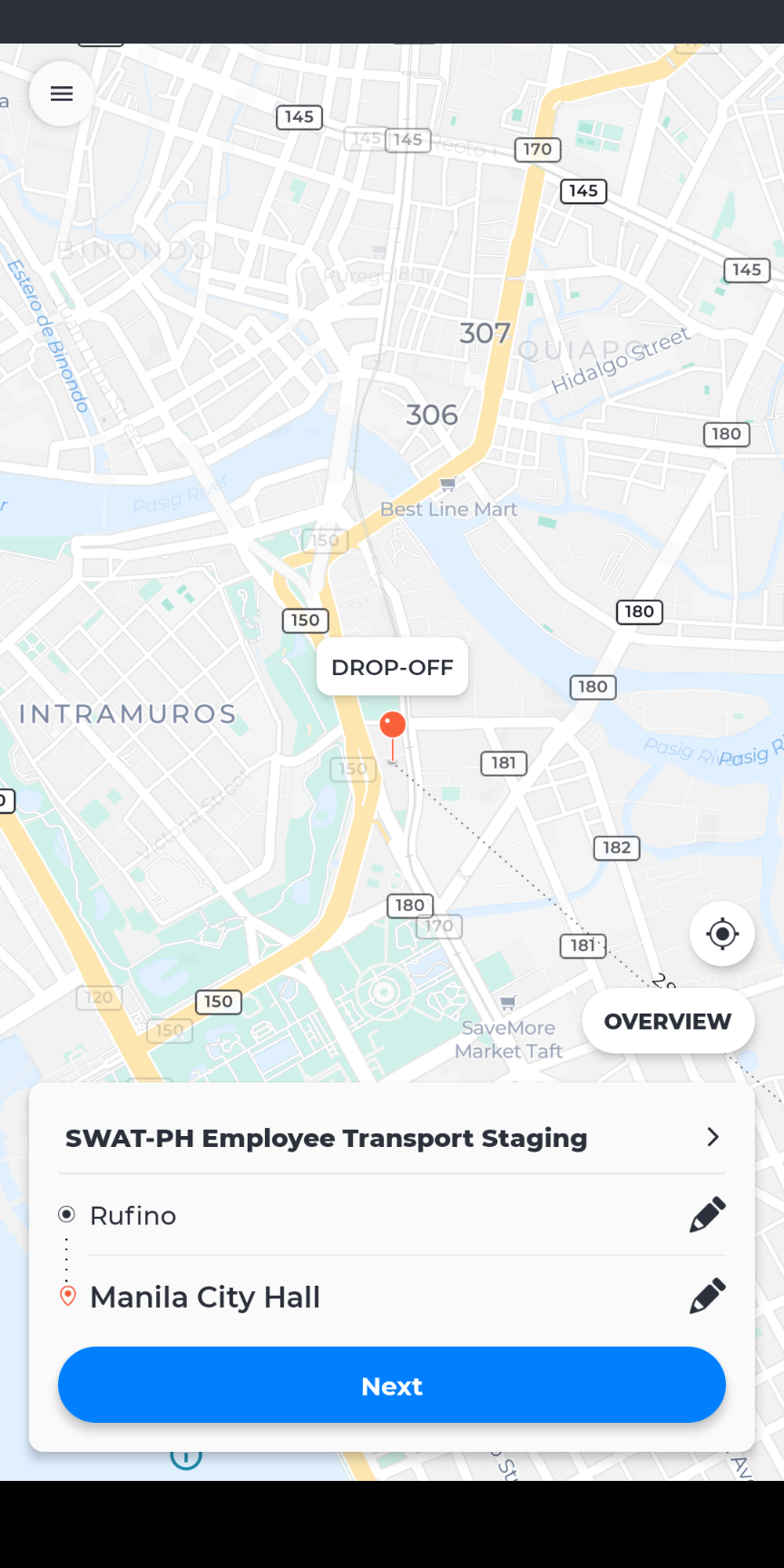
- Click on the desired address/name to confirm this address on the map
- Ensure that the pin is dropped at the accurate location
- Click the "Pencil icon" again
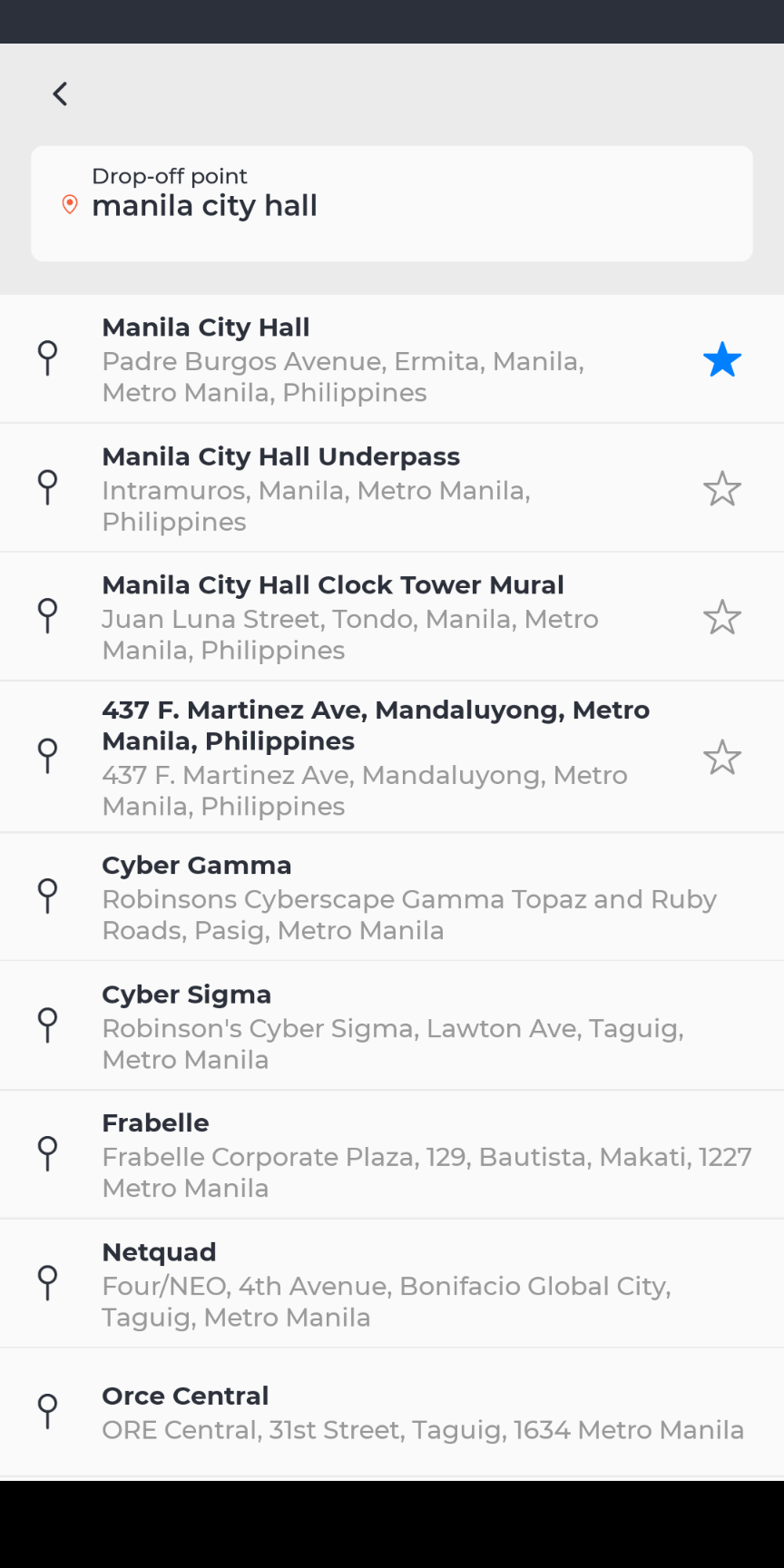
- Click the “star” logo to save this location as a favourite
- The “star” logo will become black, this means you have successfully favourite the address
Below is an illustration on how to favourite your address according to the steps above
Comments
0 comments
Please sign in to leave a comment.