
Check with HR/Admin staff that you have been enrolled into the system. This must be done before you are able to register in the application.
Once the application has been downloaded, enable the location service and in-app notifications for the myTOYOTA Shuttle PH application.
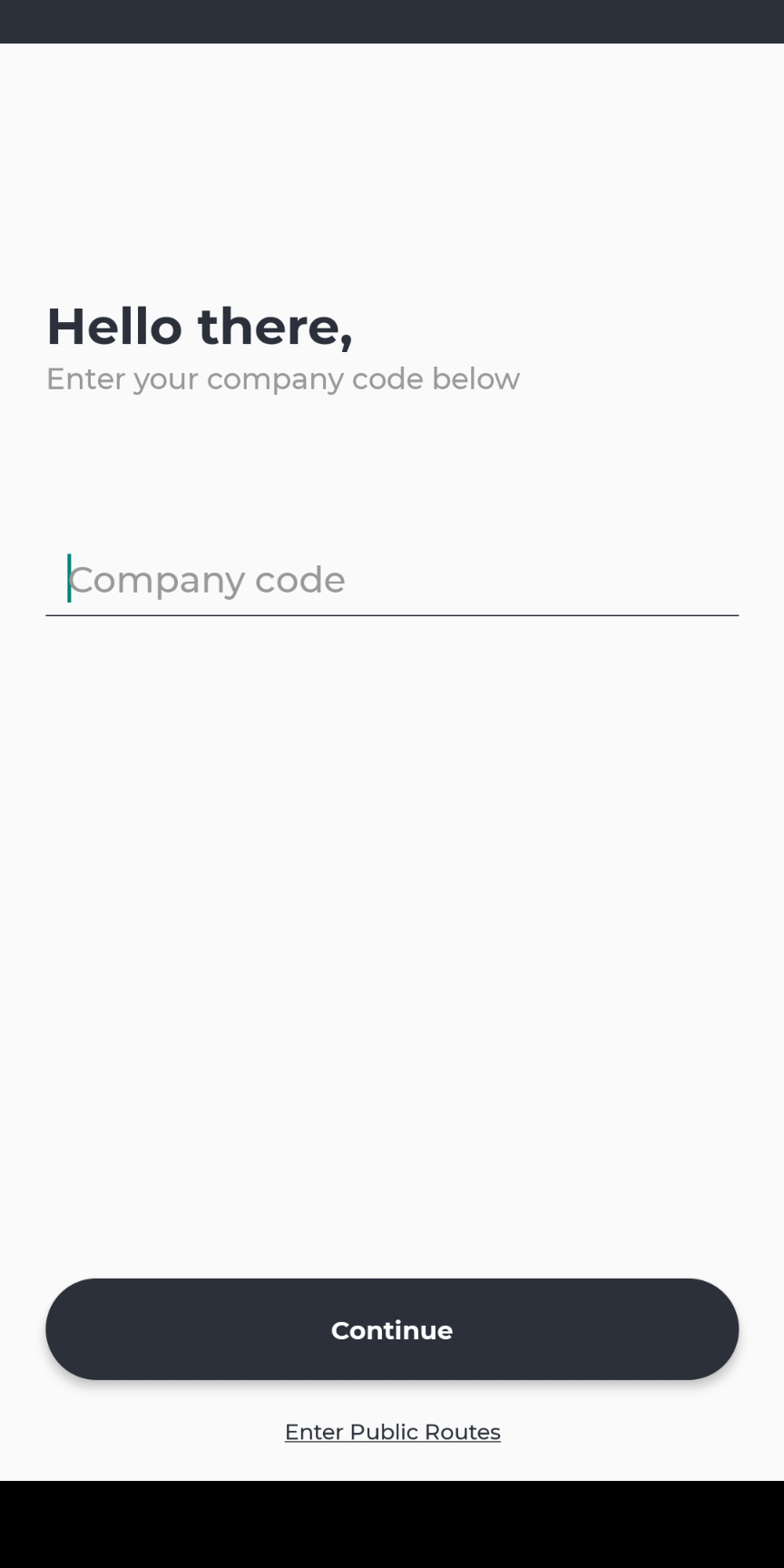
- Enter your company code
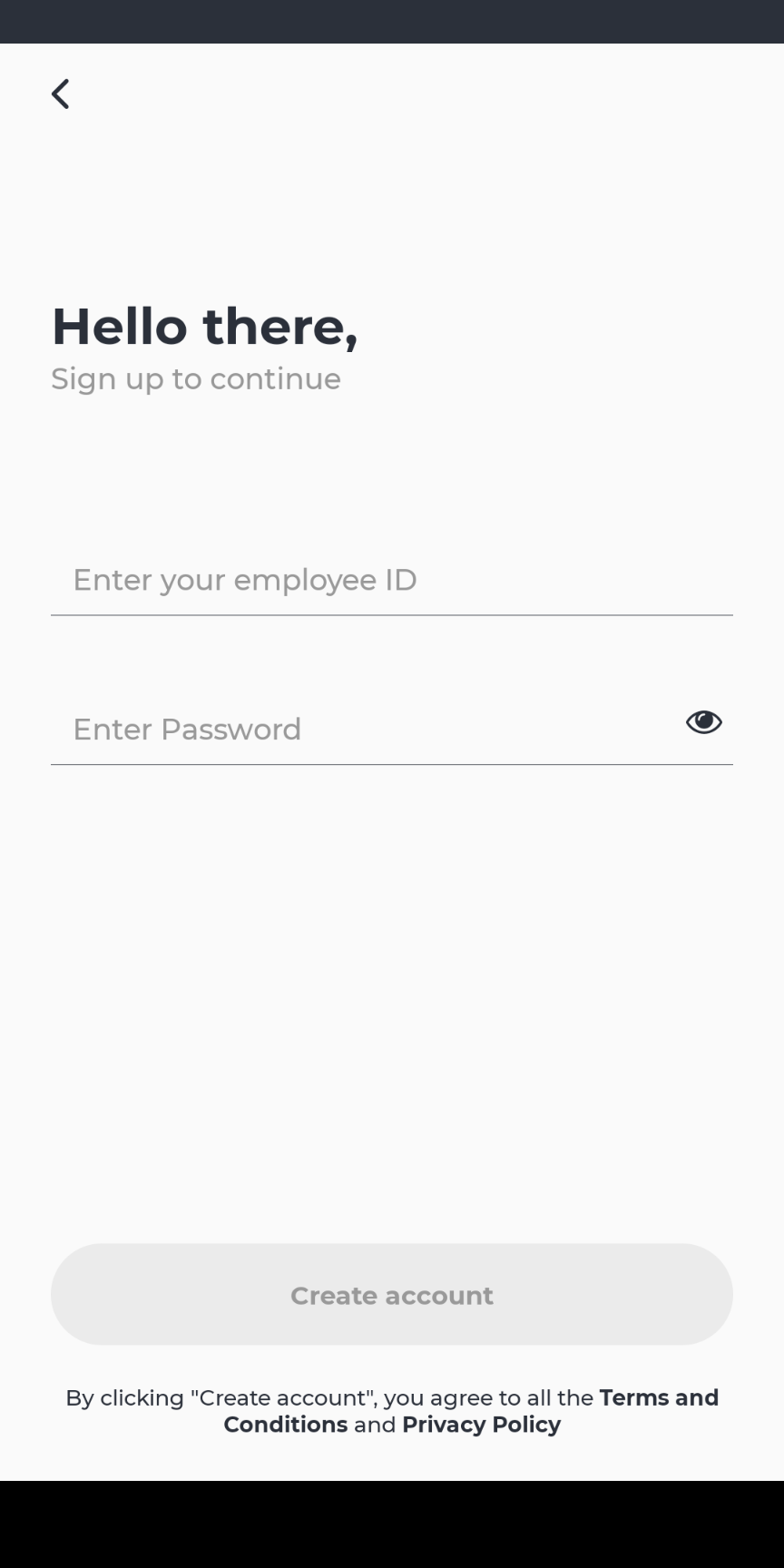
- Create a new account
- Enter your employee ID assigned to you
- Set your password:
- Must contain at least 8 characters
- Must contain at least 1 uppercase, 1 lowercase and 1 number
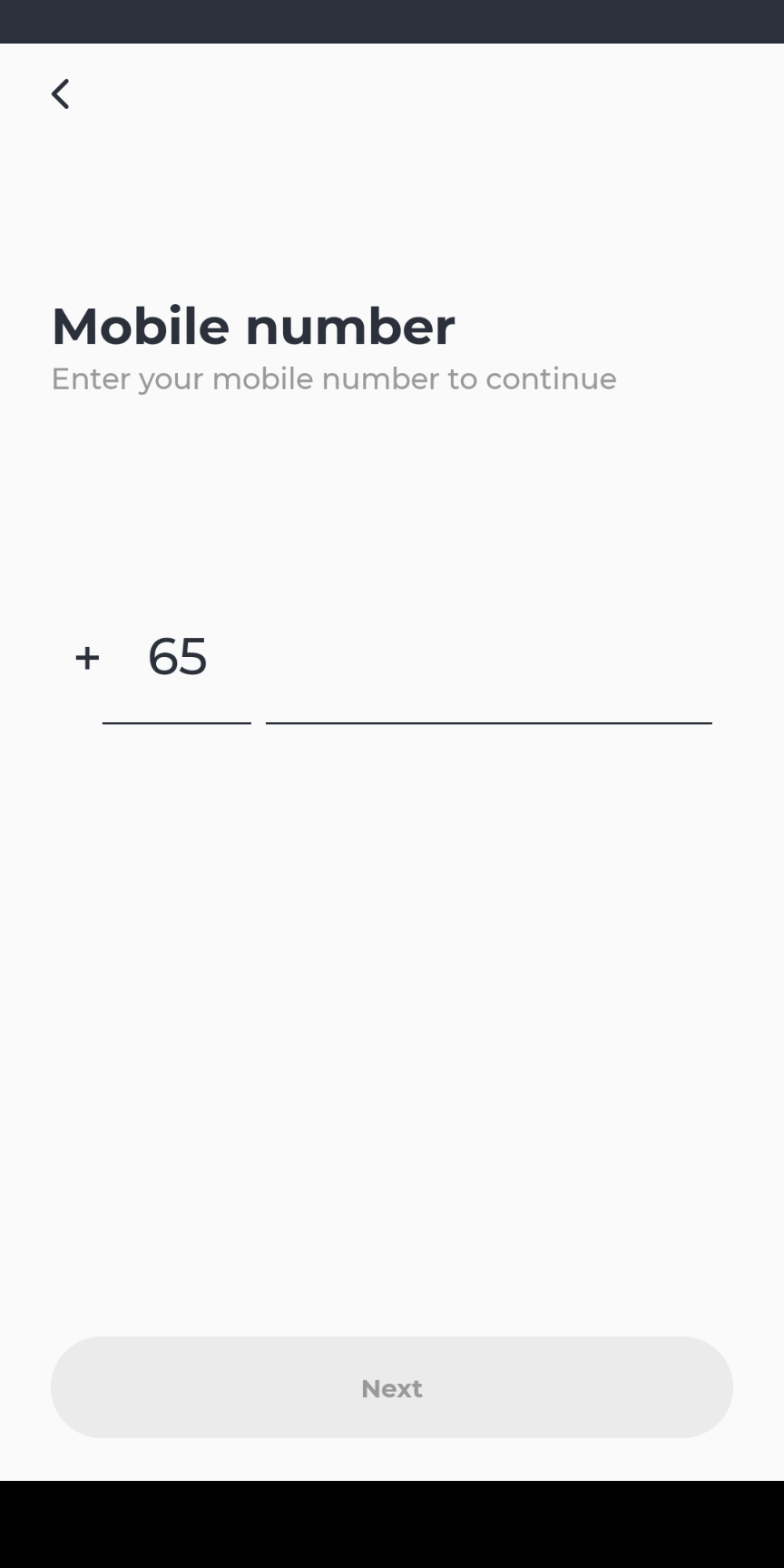
- Enter a valid handphone number
- Any phone number is acceptable so long as that number can receive an OTP
- Enter the OTP to successfully register
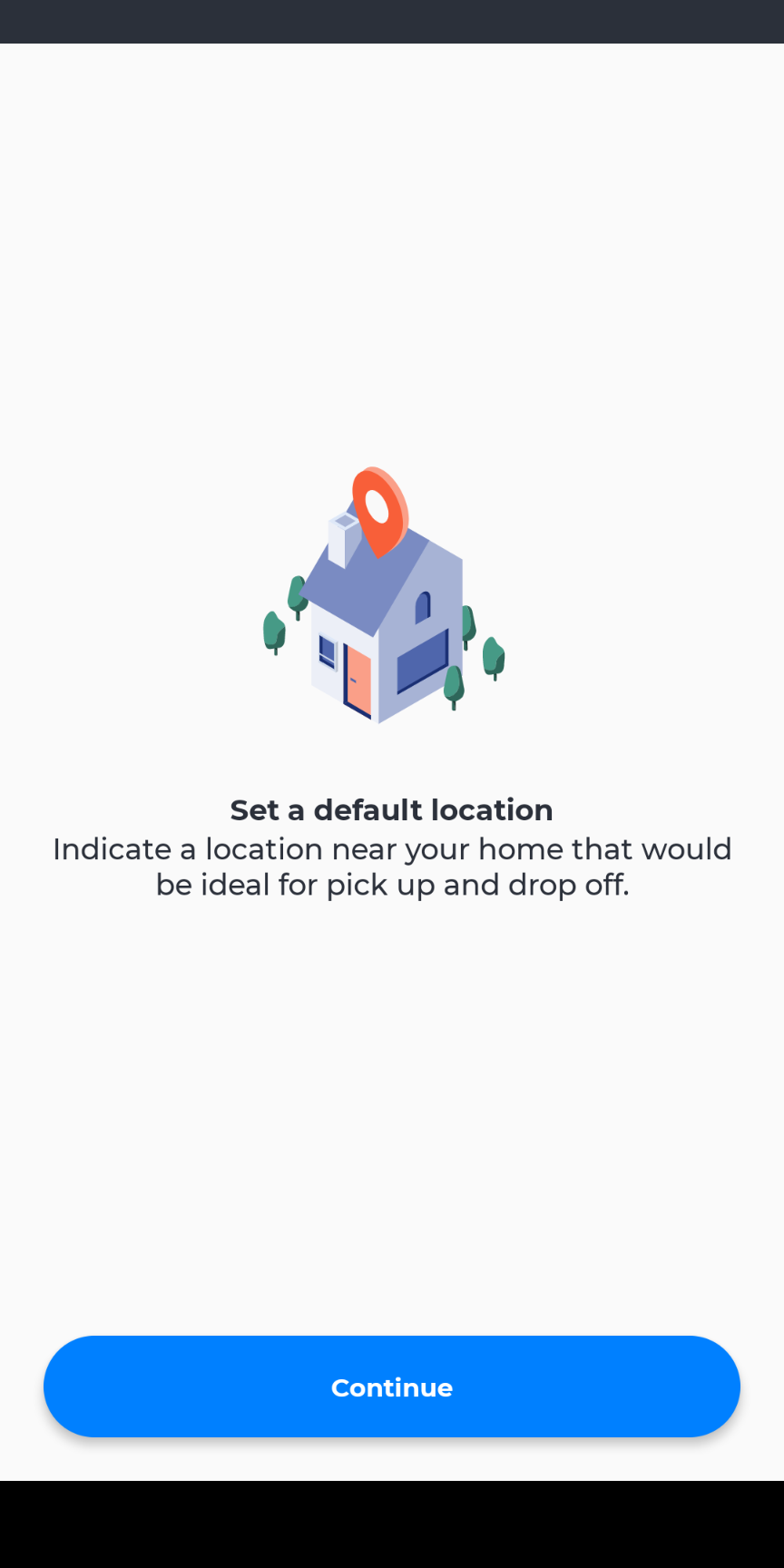
- Enter your home location
Comments
0 comments
Please sign in to leave a comment.